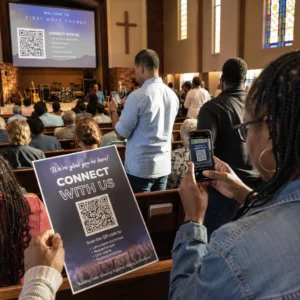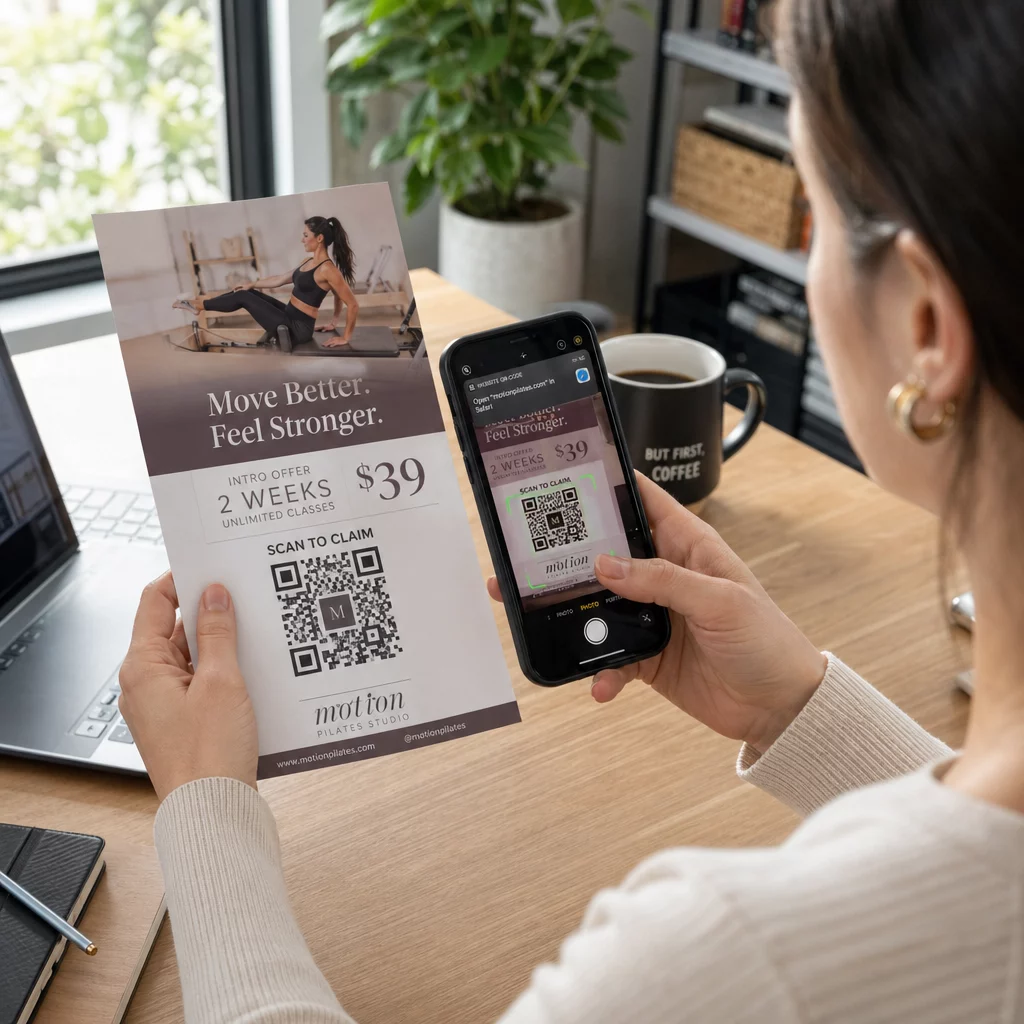
Are you struggling to track the effectiveness of your printed flyers? Static print materials often leave potential customers with no clear next step, leading to missed engagement. Adding a QR code transforms a simple flyer into a measurable gateway to your digital content.
Why QR Codes Belong on Flyers
Flyers have limited physical space, and trying to include every product detail or event specification leads to cluttered, hard-to-read designs. A QR code solves this by giving readers instant access to high-density information – digital menus, event registration forms, full product catalogs – without sacrificing visual clarity. This is how QR codes connect print and digital marketing, turning a passive reader into an active digital participant.
Beyond convenience, QR codes let you measure the return on your physical advertising spend. When you use dynamic QR codes, you can track exactly when and where your materials are being scanned, turning a traditional flyer campaign into a data-driven strategy with real-time engagement insights.
Static vs. Dynamic QR Codes: Which Should You Use?
Before finalizing your flyer design, it helps to understand the difference between these two types. Static and dynamic QR codes work very differently, and choosing the wrong type can limit your campaign.
Static QR codes embed the destination data directly into the pattern. Once printed, the destination cannot be changed. They work well for permanent, unchanging information like a Wi-Fi password.
Dynamic QR codes work through a short redirect URL managed from a central dashboard. This means you can update the destination link even after the flyer has been distributed – no reprinting required. If you are promoting a weekly event, you can swap the linked registration page every week without touching the physical materials. Dynamic codes also tend to have less complex patterns, making them easier for smartphones to scan in varied lighting conditions.
For most marketing campaigns, dynamic codes are the better choice because they give you both flexibility and built-in QR code tracking that shows scans, locations, and engagement data.
How to Create a QR Code for Your Flyer
The process is straightforward when you use a dedicated generator. Here is how to approach it step by step:
- Choose your content type. Decide what the code should open – a website URL, a PDF document, a Google Form, or a vCard contact page. Use the generator that matches your use case.
- Generate and customize. Using a QR code generator with logo lets you embed your brand mark directly into the code. This customization builds visual trust with users and can meaningfully increase scan rates.
- Download in a vector format. Export the code as an SVG or EPS file. Vector files scale to any print size without losing clarity or scannability, which is essential for professional print production.
- Import into your design tool. Bring the file into Canva, Adobe Illustrator, or your preferred layout application. Position it so it feels like part of the design, not an afterthought – surrounded by enough white space to make it visually distinct.
Create Your Custom QR Code Ready to add a branded, trackable QR code to your next flyer? Use the QR Code Generator with Logo to design a code that matches your brand identity.
Design Standards for Reliable Scanning
Even the most well-designed flyer will underperform if the QR code itself is difficult to scan. Following QR code sizing guidelines for print materials ensures your code works reliably across different environments.
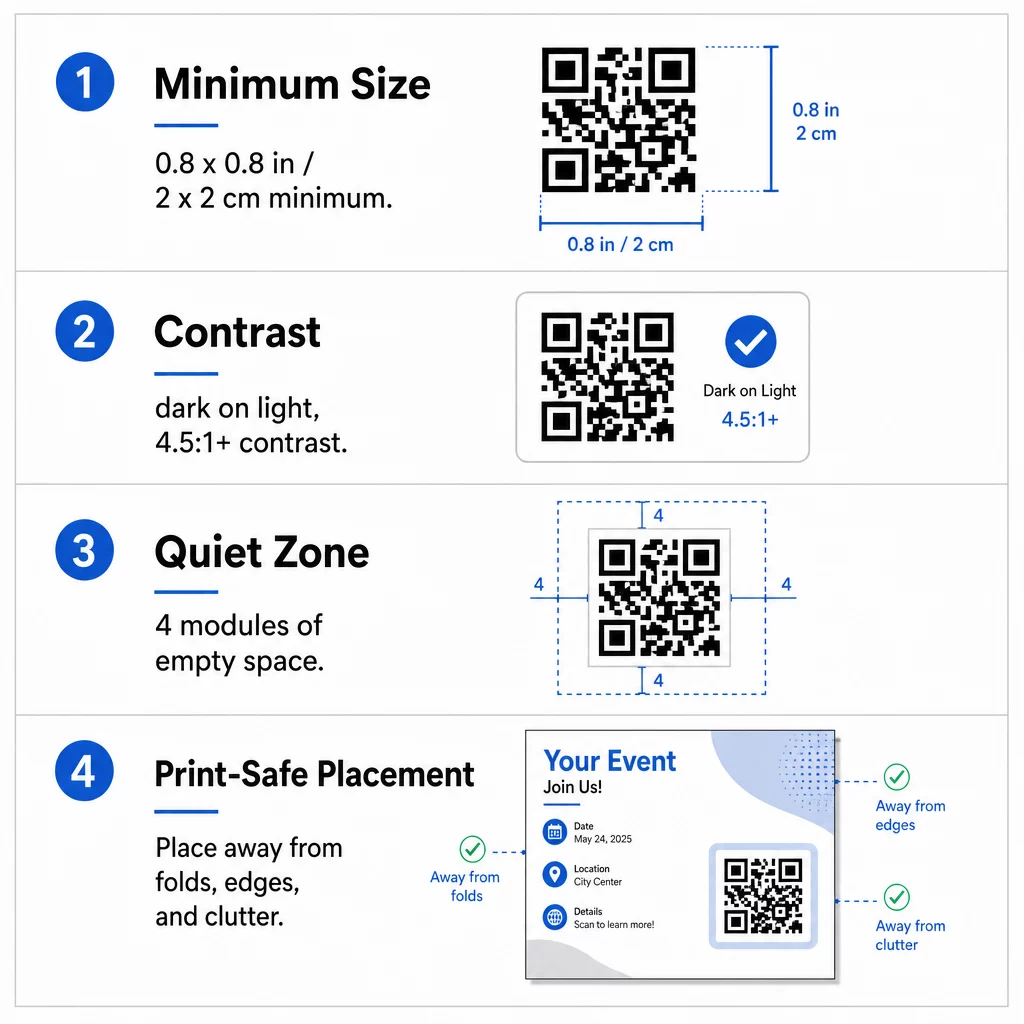
Size: For a standard handheld flyer, the code should be at least 0.8 × 0.8 inches (2 × 2 cm). For larger formats or codes meant to be scanned from a distance, use the 10:1 ratio – the code should be one inch wide for every ten inches of expected scanning distance. A flyer scanned from 20 inches away needs a code at least two inches wide.
Contrast: Scanners distinguish between dark modules and a light background. A contrast ratio of at least 4.5:1 is recommended for reliable scanning; 7:1 or higher is excellent. Darker colors absorb light while lighter colors reflect it, so a dark foreground on a light background is the most dependable configuration.
Quiet zone: Every QR code requires a clear border – called a quiet zone – of at least four modules wide on all four sides. Without this buffer, surrounding text or graphics can interfere with the scanner’s ability to locate and read the code.
Strategic Placement and Writing a Clear CTA
Where you place the code and what you say next to it both affect whether people actually scan it. QR code placement in marketing follows a few practical rules.
On a standard A4 or A5 flyer, codes perform best when placed at natural focal points – the bottom-right corner, the center, or wherever the eye naturally settles after reading the headline. Avoid placing codes:
- Near folds or curved edges where physical distortion warps the pattern
- On textured paper surfaces that reduce scanner contrast
- Too close to other design elements that crowd the quiet zone
A code alone rarely drives action. You need a call-to-action (CTA) that tells readers exactly what they get when they scan. Examples like “Scan for 20% Off” or “Scan to RSVP” set a clear expectation and give the reader a reason to act. Adding a short instruction – “Point your camera here” – also helps reach audiences less familiar with the technology. These best practices for QR code readability lower the barrier to engagement across all demographics.
Tracking and Analyzing Flyer Performance
One of the strongest arguments for using QR codes on printed flyers is the ability to measure what would otherwise be invisible. With UTM parameters added to your destination URLs, you can see which specific flyers or distribution locations are generating the most traffic in Google Analytics. This lets you compare performance across different venues – a trade show versus a retail storefront, for example.
A QR code management platform takes this further by letting you track QR code scans in real-time, providing data on time of scan, geographic location, and device type. If engagement is low in a particular area, you can update the destination URL of your dynamic code to a more relevant local offer – without touching the printed materials. This keeps your print campaigns as agile and responsive as your digital ones.
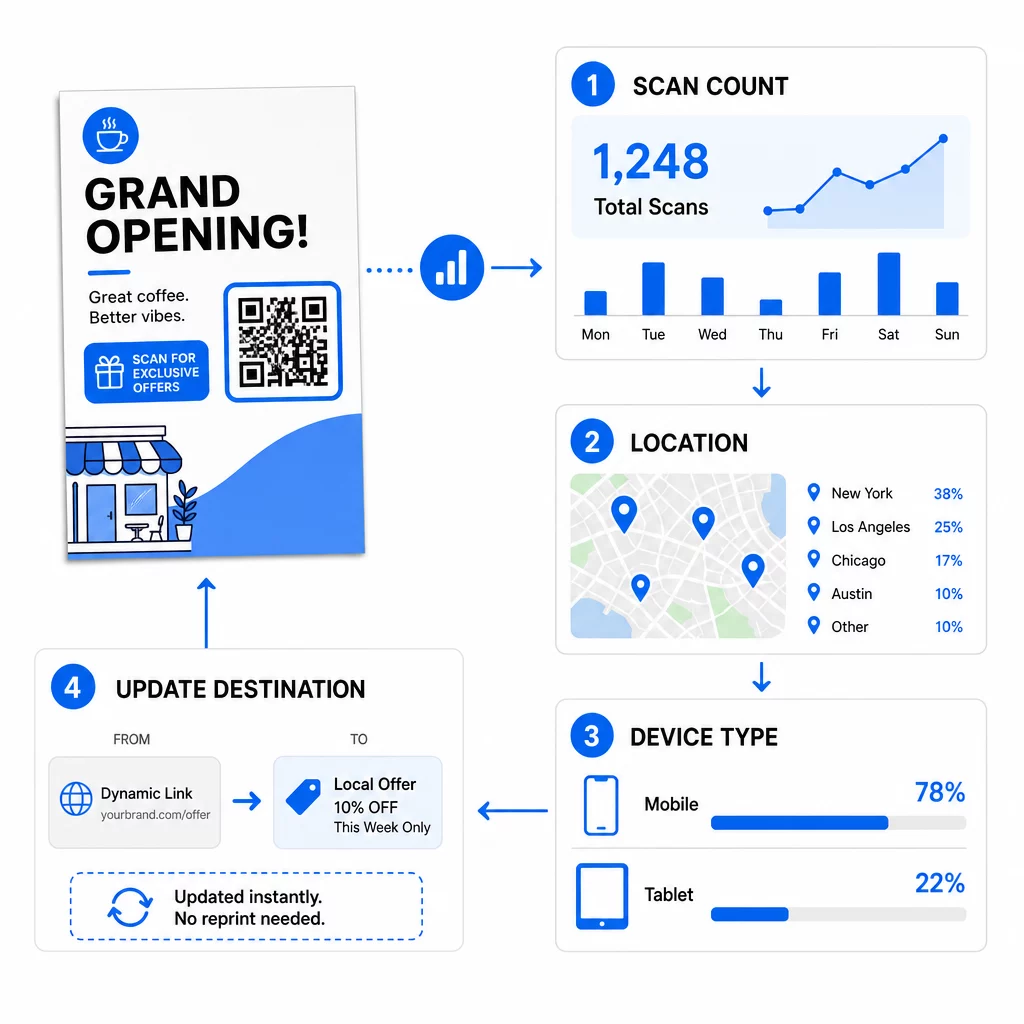
Monitor Your Campaign Performance Want to see which flyers are driving the most traffic? Use the QR Code Generator to create dynamic, trackable codes and access a full analytics dashboard with real-time scan data.
Adding a QR code to a flyer is a straightforward step with a measurable payoff. Choose a dynamic code, follow the sizing and contrast standards, place it intentionally, and pair it with a clear CTA. The result is a printed piece that earns its place in a data-driven marketing strategy.
Frequently Asked Questions
For a standard handheld flyer, the QR code should be at least 0.8 × 0.8 inches (2 × 2 cm). If the flyer is meant to be scanned from a distance, apply the 10:1 ratio: make the code one inch wide for every ten inches of expected scanning distance.
Yes, but only if you used a dynamic QR code. Dynamic codes route through a short redirect URL that you can update from your dashboard at any time. Static codes embed the destination directly into the pattern and cannot be changed after printing.
Dynamic QR codes include an analytics dashboard that shows total scans, unique users, geographic locations, and time-based engagement. You can also attach UTM parameters to your destination URL to track these interactions directly within Google Analytics.